7 Things to Check Before Buying a Royal Pop Strap
Buying a Royal Pop strap can easily become an emotional decision.
You see a strong wrist photo, a color combination catches your attention, and the original watch suddenly looks like it could become a much more wearable everyday piece.
That reaction is understandable. However, the best-looking photo does not automatically tell you whether the accessory is compatible, securely installed, correctly sized, comfortable on your wrist, or accurately represented.
Before choosing a Royal Pop strap or Royal Pop conversion kit, check these seven things:
- Watch compatibility
- Crown position
- Retention and removal
- Wrist sizing and adjustment
- Case-to-strap connections
- Buckle, color, and material details
- Shipping, returns, and support
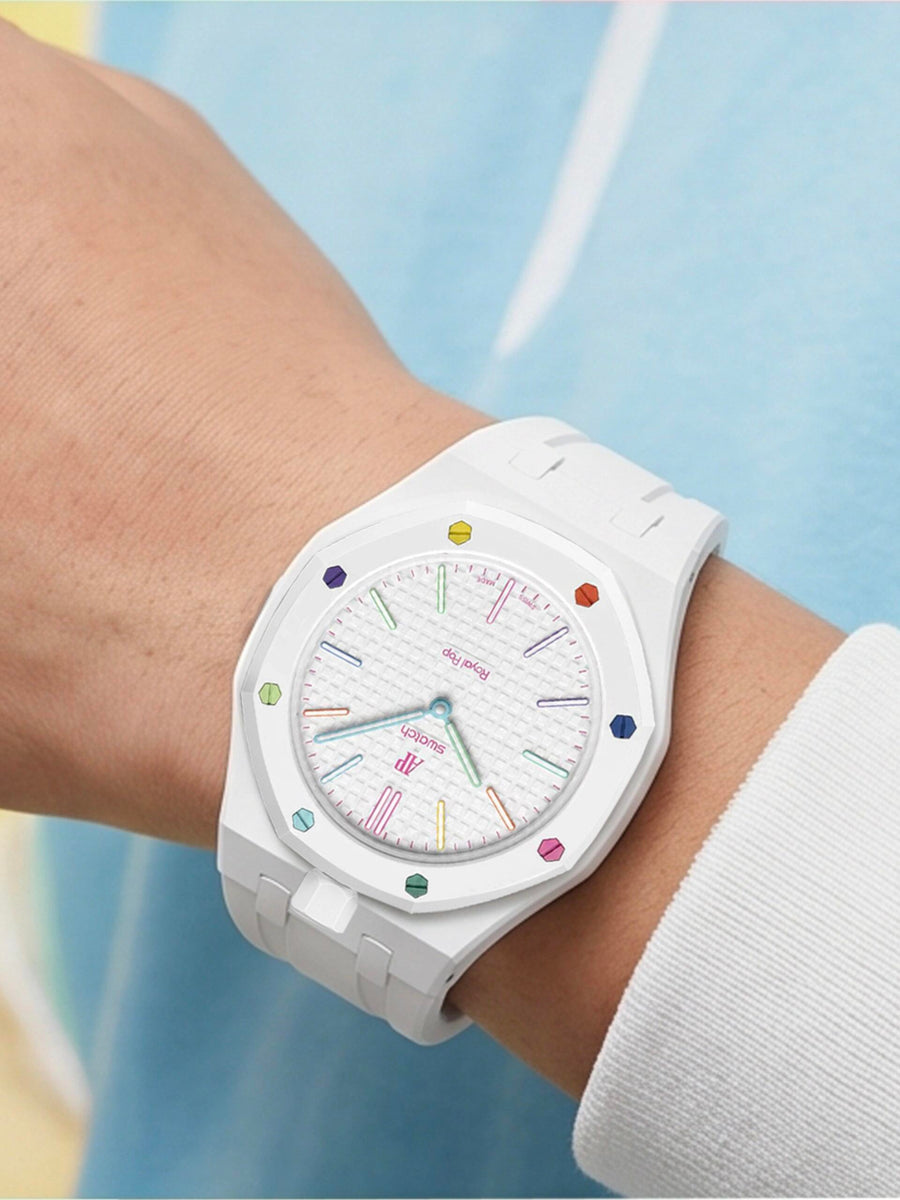
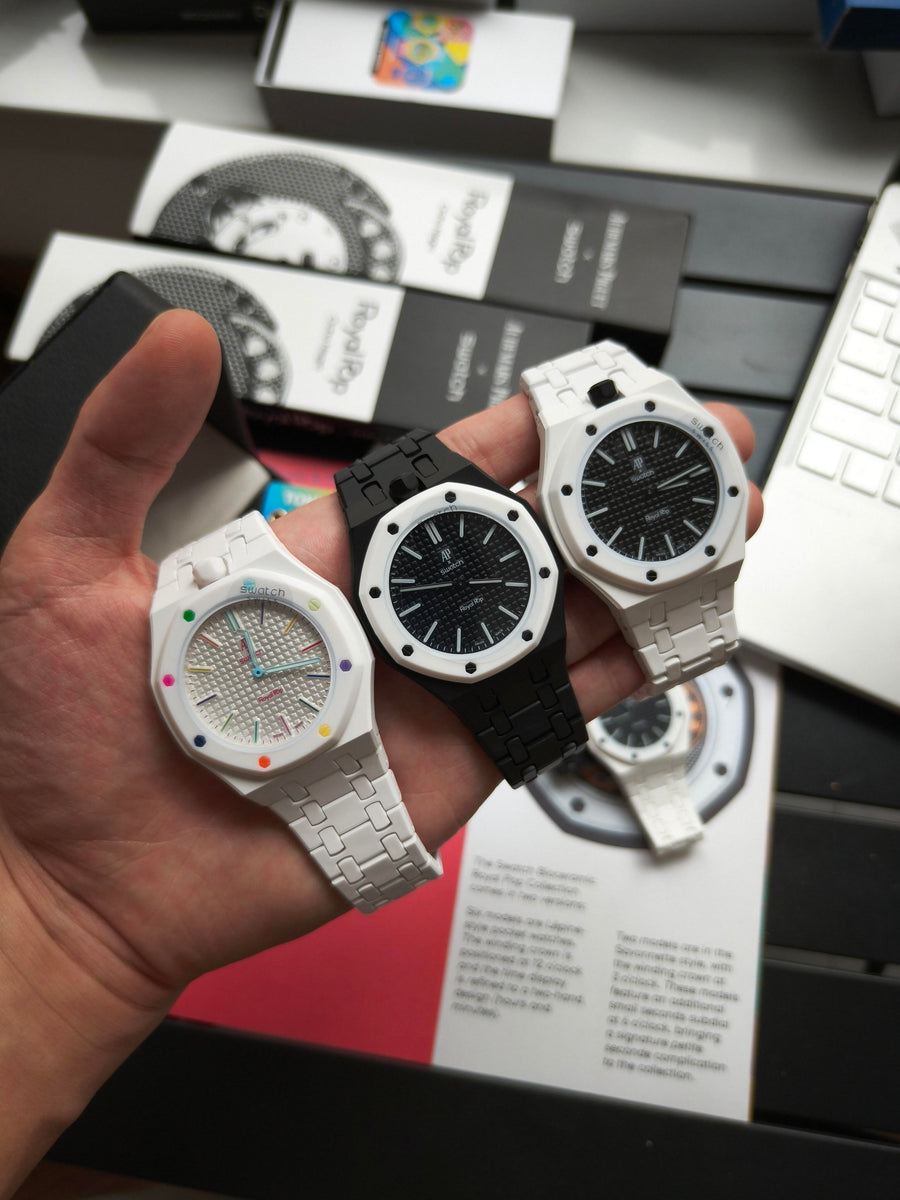
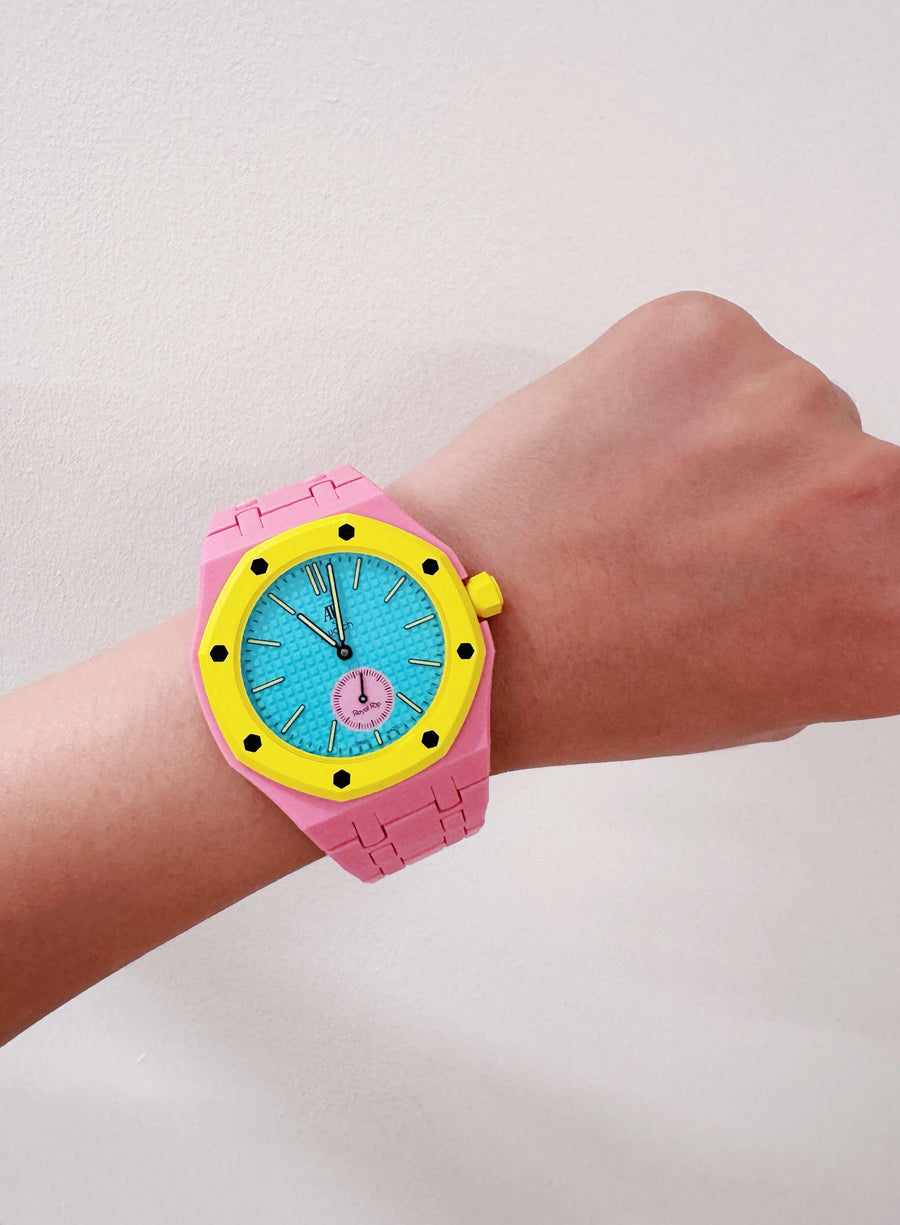
You should also learn how to read real Royal Pop wrist photos. A useful wrist photo should help you evaluate proportion, thickness, connection quality, crown layout, clasp position, and color—not simply make the product look attractive.
Royal Pop Kit vs Generic Aftermarket Strap: What Should You Compare?
Compare a complete Royal Pop wristwatch conversion with a generic aftermarket strap as a complete system, not only by price or color.
Before ordering, check:
- Case and strap inclusion: Does the listing include the conversion case and strap, or only the strap?
- Crown position: Does the setup support crown at 12 o’clock, crown at 3 o’clock, or only one fixed orientation?
- Retention method: Does the seller explain how the original watch is seated, secured, and removed?
- Reversibility: Does installation avoid glue, drilling, cutting, sanding, and permanent modification?
- Real photos: Are front, side, connection-point, clasp, and natural-light photos available?
- Wrist sizing: Does the seller state the supported wrist range and adjustment method?
- Support: Are compatibility, shipping, returns, and exchanges explained clearly?
A strap-only option may be appropriate when you already own a compatible case or adapter.
However, when the original watch does not have a conventional strap attachment, a complete Royal Pop wrist strap and case setup may provide a more integrated result.
1. Check That the Strap Is Compatible With Your Royal Pop
Start with the most basic question:
Is the accessory actually designed for your watch?
Royal Pop accessories can look similar in product photos, but compatibility should never be assumed from appearance alone.
A strap, bracelet, or conversion case should clearly explain:
- which Royal Pop format it supports;
- how the original watch enters the case;
- which components are included;
- whether the original watch is included;
- and whether permanent modification is required.
Before buying, confirm that:
- the accessory is intended for a compatible Royal Pop;
- the conversion case matches the watch structure;
- the product page identifies what is included;
- the original Royal Pop watch is not included;
- and the installation does not require permanent alteration.
A polished product photo is not a substitute for compatibility information.
When anything is unclear, compare the listing with the Royal Pop installation and compatibility FAQ before choosing a material, strap, bracelet, or color.
2. Confirm Crown at 12 or Crown at 3
Crown position is one of the easiest details to overlook, but it can substantially change the final appearance and operation of a Royal Pop conversion.
Some buyers prefer crown at 12 o’clock because it gives the completed setup a centered and symmetrical appearance.
Others prefer crown at 3 o’clock because it looks and operates more like a conventional wristwatch.
Before ordering, check whether the product supports:
- crown at 12 o’clock;
- crown at 3 o’clock;
- both positions as separate variants;
- or only one fixed orientation.
Do not treat crown position as a minor dropdown choice.
It can affect:
- the orientation of the dial;
- the position of the original watch inside the case;
- crown accessibility;
- the visual balance of the completed setup;
- and whether the product photos accurately represent the version you will receive.
A useful product listing should show the crown side clearly. It should not force the buyer to guess from a front-facing photograph.
When comparing photos, make sure the crown position in the image matches the variant being described.
3. Understand How the Watch Is Secured and Removed
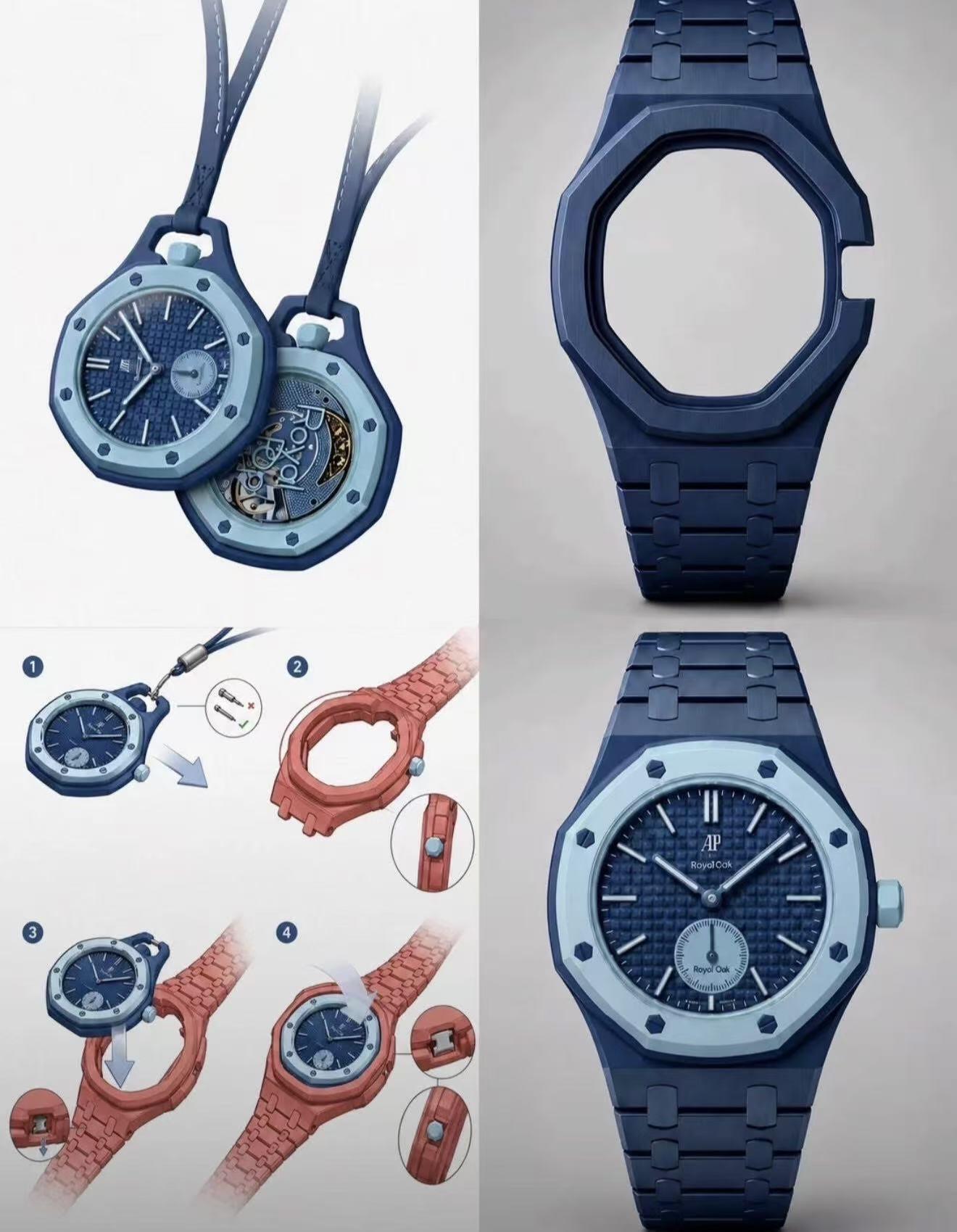
A Royal Pop conversion case should explain how the original watch is held in place.
You should be able to understand whether retention comes from:
- compatible internal geometry;
- controlled seating depth;
- supporting contact surfaces;
- a dedicated carrier structure;
- or another clearly described mechanical system.
Be cautious when an installation depends on:
- glue;
- drilling;
- cutting;
- grinding;
- excessive force;
- hidden adhesive;
- or improvised mounting.
A reversible Royal Pop conversion should preserve the original watch and allow controlled removal without permanent modification.
“No glue” and “no drilling” are not simply additional product features. For buyers who want to protect the original watch, they are basic requirements.
Before wearing the setup, check whether:
- the watch sits at an even depth;
- one side is not visibly higher than the other;
- the watch does not rock under light pressure;
- the case does not produce repeated clicking;
- and the watch remains stable during ordinary wrist movement.
For a more detailed explanation of seating, movement, and practical fit checks, read Will a Royal Pop Pop Out of a Conversion Strap?.
If secure installation is your first priority, compare the Stainless Steel Royal Pop conversion kit, the Bioceramic-style Royal Pop conversion kit, and the installation FAQ before choosing by color alone.

4. Check Wrist Size and Adjustment Method
A Royal Pop wrist strap can look well balanced in a photograph and still feel wrong when it arrives.
Before buying, determine how the strap or bracelet adjusts.
Depending on the selected configuration, adjustment may involve:
- removable bracelet links;
- traditional buckle holes;
- a pin buckle;
- a folding clasp;
- a butterfly clasp;
- or another bracelet closure.
Check the product page for:
- minimum recommended wrist size;
- maximum recommended wrist size;
- available buckle holes;
- removable links;
- clasp adjustment;
- included sizing tools;
- and whether professional adjustment may be useful.
Wrist circumference is important, but it is not the only measurement that affects fit.
Two people can both have a 7-inch wrist while having different wrist shapes. One wrist may have a wider and flatter upper surface, while another may be narrower and more rounded.
That difference can change:
- how wide the case appears;
- whether the case edges extend beyond the wrist;
- how the strap leaves the case;
- where the clasp sits;
- and whether the case appears centered.
Real wrist photos are therefore helpful only when you know the wrist circumference and can see the watch from more than one angle.
For additional fit and comfort considerations, review the Royal Pop wrist reality check.
How to Read Real Royal Pop Wrist Photos
Real Royal Pop wrist photos can reveal details that are difficult to judge from white-background product images or digital renders.
However, not every wrist photo is equally useful.
A carefully selected front-facing image can make almost any watch look proportional. To make a better buying decision, look for a complete group of images showing the same setup from the front, side, crown side, connection point, clasp, and natural lighting.
The photographer’s wrist circumference should also be stated.
Useful reference sizes include:
- 6.5-inch wrist
- 7.0-inch wrist
- 7.5-inch wrist
These measurements do not guarantee that the setup will look identical on your wrist, but they provide a more meaningful reference than an unlabelled lifestyle image.
1. Front Wrist Photo: Check the Overall Width
Start with a direct front view of the watch on the wrist.
Use this photo to examine whether:
- the conversion case stays within the visible width of the wrist;
- the case edges appear to extend beyond the wrist;
- the watch is centered;
- the dial appears proportionate;
- and the strap leaves both sides of the case naturally.
A Royal Pop conversion is intended to have noticeable wrist presence, so a visually large case is not automatically a problem.
The more important question is whether the case looks balanced or appears to hang over both sides of the wrist.
On a smaller wrist, an oversized case may create a top-heavy appearance. On a wider or flatter wrist, the same setup may look more integrated.
Avoid judging size from a tightly cropped photo. The image should show enough of the wrist and forearm to provide scale.
2. Side Wrist Photo: Check Thickness and Case Lift
A front photo can hide thickness.
A side-profile wrist photo should show:
- the total height of the installed watch;
- how high the case sits above the wrist;
- whether the case base lies evenly;
- whether one side appears raised;
- and how sharply the strap bends away from the case.
Look for unnecessary space between the underside of the case and the top of the wrist.
A small gap can occur because wrist shapes differ. However, a case that visibly tilts, rocks, or appears lifted on one side may feel less balanced during daily wear.
The side image is also useful for judging whether the conversion feels like a conventional wristwatch or a thicker accessory-style setup.
3. Case-to-Strap Connection Close-Up: Check Gaps and Seams
Ask for a close-up of the area where the strap or bracelet meets the conversion case.
This photo should allow you to inspect:
- visible gaps;
- uneven seams;
- rough transitions;
- exposed connection hardware;
- alignment between both sides;
- and how the strap exits the case.
A small engineered seam is not necessarily a defect. Separate components need clearance for assembly and movement.
What matters is whether:
- the gap is reasonably even;
- one side does not appear more open than the other;
- the strap is not pulling away from the case;
- and the connection looks intentional rather than improvised.
This area often reveals more about build quality than a polished front image.
4. Crown-Side Photo: Confirm the 3 or 12 O’Clock Structure
The crown-side photo should clearly show whether the completed setup uses:
- crown at 3 o’clock;
- crown at 12 o’clock;
- or another supported orientation.
Do not rely only on the written variant name.
Use the image to check:
- whether the crown has enough clearance;
- whether it appears centered in the opening;
- whether the surrounding case interferes with access;
- and whether the photo matches the version you intend to order.
Crown access also affects routine operation. Buyers who expect to wind or set the Royal Pop while it remains installed should review how crown access works with a conversion case.
5. Clasp-Underside Photo: Check Whether the Clasp Is Centered
The underside of the wrist is rarely shown in lifestyle photography, but it can be important for comfort.
Ask for a photograph showing the clasp or buckle underneath the wrist.
The image can help you judge whether:
- the clasp sits near the center of the wrist;
- too much strap remains on one side;
- the bracelet links have been distributed evenly;
- the buckle tail is excessively long;
- and the closure may press against the side of the wrist.
For a bracelet, link removal should normally be balanced between both sides when possible. Removing too many links from only one side can pull the clasp away from the center.
For a rubber strap, the occupied buckle hole and remaining strap length can help you estimate whether the available adjustment range is suitable.
A centered clasp is not only a visual detail. It can affect balance and daily comfort.
6. Natural-Light Photo: Judge the Real Color
Studio lighting, warm indoor lighting, editing presets, screen brightness, and reflections can all change how a Royal Pop strap or case color appears.
For a more realistic color reference, look for photographs taken:
- near a window;
- outdoors in indirect daylight;
- without a strong filter;
- against a neutral background;
- and without highly colored reflected surfaces.
Natural light can help you judge:
- whether a blue appears cool or slightly green;
- whether a white appears bright white or cream;
- whether a pink is soft or highly saturated;
- how polished steel reflects its surroundings;
- and how a Bioceramic-style case coordinates with the original watch.
No single photograph can guarantee exact screen-to-product color accuracy. A useful listing should therefore include both controlled product images and normal-lighting photographs.
7. Look for the Photographer’s Wrist Size
A real wrist photo becomes much more useful when the wrist circumference is stated.
For example:
- 6.5-inch wrist: useful for judging smaller-wrist overhang and strap adjustment;
- 7.0-inch wrist: provides a common mid-range reference;
- 7.5-inch wrist: helps buyers evaluate proportion on a larger wrist.
The measurement should be taken around the wrist where the watch normally sits.
Wrist circumference still does not explain every difference. Wrist width, shape, bone structure, camera distance, and lens distortion can change the appearance.
Use the stated wrist size as a comparison reference, not as a guarantee.
Quick Photo-Evaluation Table
| Photo angle | What to inspect | Possible warning sign |
|---|---|---|
| Front wrist photo | Case width and overall balance | Case visibly extends far beyond both sides |
| Side wrist photo | Thickness and contact with wrist | Case appears raised or tilted |
| Connection close-up | Gaps, seams, and alignment | Uneven gap or strap pulling away |
| Crown-side photo | Crown position and clearance | Wrong orientation or restricted access |
| Clasp underside | Closure position and balance | Clasp sits far to one side |
| Natural-light photo | More realistic material color | Only heavily edited studio images |
| Wrist-size label | Proportion reference | No wrist measurement provided |
A strong product gallery should answer these questions visually before the buyer needs to ask.
5. Inspect the Case-to-Strap Connection and Visible Gaps
The transition between the conversion case and strap is one of the clearest indicators of how complete the setup will look.
A product can appear excellent from the front while showing awkward gaps, uneven alignment, or a rough transition from the side.
Before buying, look for images showing:
- the full side profile;
- both case-to-strap transitions;
- close-ups of the connection area;
- thickness from wrist level;
- and how the strap or bracelet leaves the case.
Do not assume that every visible seam means poor quality.
A connection may need a controlled amount of clearance to allow installation and movement. The key is consistency.
Look for:
- similar gaps on both sides;
- straight alignment;
- no visibly raised edge;
- no exposed unfinished surface;
- and no strap section pulling the case out of position.
This is also an area where stainless steel and Bioceramic-style accessories may look different.
A stainless steel configuration generally emphasizes:
- sharper edges;
- metallic continuity;
- bracelet structure;
- and a more conventional sports-watch appearance.
A Bioceramic-style configuration generally emphasizes:
- lower visual weight;
- color continuity;
- a more playful appearance;
- and a softer transition between the original watch and accessory.
Neither approach is automatically better, but the connection should look deliberate in both cases.
6. Compare Buckle, Clasp, Color Accuracy, and Material Details
Small construction details often become daily-use details after the product arrives.
Before buying, check:
- whether the product uses a pin buckle, folding clasp, butterfly clasp, or bracelet closure;
- whether bracelet links can be removed;
- how the strap thickness changes near the buckle;
- whether replacement or optional clasp choices are available;
- whether the material is clearly identified;
- and whether colors are shown under more than one lighting condition.
Do not rely on one perfect render to judge color.
Bright Royal Pop color combinations can appear different under:
- direct sunlight;
- indirect daylight;
- warm indoor light;
- cool indoor light;
- and highly reflective surroundings.
Material descriptions should also be specific.
For example, a seller should distinguish between:
- stainless steel;
- rubber or silicone-style straps;
- Bioceramic-style components;
- polished surfaces;
- brushed surfaces;
- and coated or colored finishes.
Avoid assuming a strap is FKM rubber unless the product information specifically confirms it.
For a more detailed comparison of material, weight, comfort, summer use, and visual style, read the Royal Pop strap, case and bracelet upgrade guide.

7. Review Shipping, Returns, and After-Sales Support
The final check is less visual, but it is equally important:
What happens after you place the order?
A Royal Pop strap is a fit-sensitive accessory. If the selected product does not match your crown position, wrist size, material preference, or expected appearance, you should understand the available support before checkout.
Review:
- processing time;
- estimated shipping time;
- tracking availability;
- expedited shipping options;
- return eligibility;
- return deadlines;
- exchange conditions;
- cancellation conditions;
- and how compatibility problems are handled.
Read the current RoyalPop Accessories Shipping Policy for processing, shipping, tracking, and delivery information.
You should also review the Return Policy before removing packaging, sizing a bracelet, installing the watch, or using the accessory.
When you are unsure about compatibility, contact the seller before ordering rather than relying on assumptions from photographs.
A trustworthy seller should be able to answer specific questions about:
- crown position;
- included components;
- wrist sizing;
- adjustment;
- installation;
- materials;
- and product photos.
A Quick Royal Pop Strap Buying Checklist
Before ordering, run through this shorter checklist:
- Is the accessory compatible with your Royal Pop?
- Does it support your preferred crown position?
- Is the retention and removal method clearly explained?
- Does the adjustment range suit your wrist?
- Are real wrist photos labelled with wrist circumference?
- Can you see the front, side, connection, crown, and clasp angles?
- Are color and material details shown clearly?
- Are shipping, returns, and support easy to understand?
The article still covers seven main buying categories. The additional photo checks help you evaluate several of those categories more accurately.
When a practical detail is missing, ask before buying.
Stainless Steel or Bioceramic-Style: Choose After the Checklist
Once compatibility, installation, sizing, and product information are confirmed, choosing the material becomes easier.
Choose a stainless steel Royal Pop configuration when you prefer:
- a more structured wrist presence;
- a stronger bracelet-watch character;
- greater emphasis on metallic edges;
- a more traditional sports-watch appearance;
- or a steel case paired with either a bracelet or rubber strap.
Choose a Bioceramic-style Royal Pop configuration when you prefer:
- a lighter wearing impression;
- more color-driven styling;
- a playful and casual appearance;
- stronger visual continuity with the original watch;
- or a less metallic setup.
Material should not be used to compensate for uncertain fit.
Both directions should still provide:
- correct compatibility;
- controlled installation;
- stable seating;
- clear crown positioning;
- and a reversible setup without glue or drilling.
The Bottom Line: What Should You Check Before Buying a Royal Pop Strap?
The best Royal Pop strap is not simply the one that looks best in one photograph.
It should:
- fit the correct watch;
- match your preferred crown position;
- hold the original piece securely;
- adjust correctly to your wrist;
- sit proportionately when worn;
- show clean case-to-strap connections;
- use clearly described materials;
- and come with an understandable support process.
Real wrist photos are an important part of that decision, but they need context.
Look for:
- a direct front view;
- a side profile;
- a connection close-up;
- a crown-side photograph;
- a clasp-underside photograph;
- a natural-light image;
- and the photographer’s wrist circumference.
Start with the Royal Pop compatibility FAQ, then compare the Steel Conversion Kit and Bioceramic-Style Conversion Kit using the checklist above.
Disclaimer: RoyalPop Accessories produces independent aftermarket accessories for compatible watches. RoyalPop Accessories is not affiliated with, endorsed by, sponsored by, or produced by Swatch, Audemars Piguet, or any related original watch manufacturer. The original Royal Pop watch is not included.
Browse Royal Pop accessories to compare the available conversion-kit options.
Explore RoyalPop Accessories
Product, compatibility, and brand information.
Explore RoyalPop Accessories
Product, compatibility, and brand information.
RoyalPop Accessories is independent and is not affiliated with, endorsed by, or sponsored by any original watch brand.